Thursday, January 17, 2013

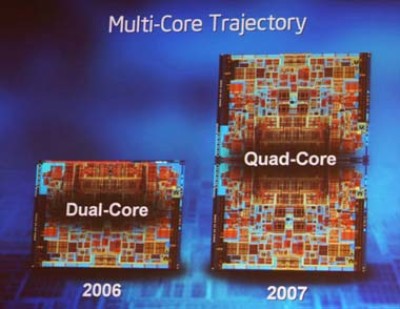
Multicore CPUs and their processing speed.

Its common  to assume that a quad core CPU for example , quoted 2 GHz would offer a 8GHz .      
  4 x 2Ghz = 8GHz ? !?

But does this really happen? Answer is No and also Yes.

Its purely dependent on the software used. Software here means the Applications (Games, Browser , word processor etc)  and the way how the  operating system (Linux or windows) handles it.

Lets have a brief look .

Simplicity sake I use a quad core 2Ghz example in this article from now on, whereas it can be scaled to any number of cores.

I have written an article long back on 'what' and 'why' multicore processors quite some time back here

So,first lets see why a NO 8GHz?

A Multicore processor consists two or more  functionally independent processing cores embedded into a single physical chip.
I remember reading this analogy somewere, four cars each at at 20kms/h racing  parallel in the same direction never means 20 x4 = 80Kms/h.

It similar. Performance of independent cores cannot be seen as a combined one.So its more apt to call it a four core processor with each 2 GHz and not a single 8 GHz one.

Now, the answer for  YES. How can it give a 8 GHz operation?


Bit more technical way.

Ultimately the operating system controls the processors and coordinates the actions between the cores.

Any application will run as a process in an operating system and in turn processes are just a collection of operating units called threads. These threads run  in  the CPU core as per the scheduling algorithm for a particular execution time.

Assuming a Game like Need for Speed  (NFS) creates 4 equal priority threads and its the only application being executed. In an Unicore CPU , one of four processes get executed and other 3 wait.

If there are multiple cores, the operating system may a allow waiting threads to get executed in the other cores.Purely the OS discretion which thread executes in a particular core.

It is also possible that processes may be waiting for execution in single core even though other cores are idle. This phenomena is called CPU affinity. Windows allows setting CPU affinity in task manager by right clicking a process.


Assume only the above four NFS application process threads with equal priorities having 1 minute execution time (practical values in msecs or less) get assigned to four independent cores rated 2GHz at the same time. Only now the NFS application can be theoretically called to be running at 8GHz for the next 1 minute.

But this condition will never occur in our systems due reasons which include the following.

* Most of the applications we use are still not coded with proper threading for multicore architectures. It needs a major operation and code overhaul. These applications will always prove reduced efficiency on multicores.

* Practically the OS will run many more threads which may be scheduled simultaneously and different cores might be running different process threads

*Priority of each thread in single process itself can vary.

Even if the above factors are taken care, still a 2 x 4GHz  will never be equal to a single 8GHz core because of overhead involved in instruction level parallelism defined by Amdahl's Law.

Any mistakes above, discussions and comments welcome :-)

Wednesday, January 16, 2013

Destiny?

Playing with and still an amateur  even after 4-5 years of meddling with Linux and Embedded environments.  Defining in short , it is random learning in bits and pieces rather than a structured learning approach , which I had tried to adopt many a times and failed. Professional commitments and pressure triggers the thinking process but the  learning is the same, slow and un-organized. Since college days it became customary to find something interesting, work on it  (sometimes a mad learning), Get the feel and shelve the topic in concern.
 
Two and a half years in the industry and recent times, the self started throwing some serious idealistic questions and learning seemed to be stagnant without answering .
* There is always more interesting and high paying jobs available.What did you achieve by entering or being in this domain?
* There are experts and people with high knowledge and experience ratings along with.How do you differ?
* As and with, its an IT job again, which has it own buzz. Beyond certain limits it becomes mandatory to take up management roles. How to cope with the technical interest?

Such kind of thoughts with the mere  motto of questioning my  professional existence.

Answering and above all satisfying the self is one of the most tedious work according to me. The mind doesn’t just settle for anything.

Looking back 4-5 years it was a time where I was ready to learn anything and everything  other than college curriculum which was forced.It was a search and even got few options to work on some technologies. Either took those opportunities light and lost it or handled it to a decent state but never attained mastery. Mindless actions. Krisshnan and Dhanasekar were the funny partners.

Got introduced to Linux and it was sluggish learning. Had took up some courses on embedded systems but then came the ultimate college corporate placement phase projected as the only future to exist. Not placed? then Life is gone. Such was the mental picture created.

Attended 8 ‘eligible’ companies. No sign of clearing. Finally Got a job in 9th one. Seemed to be at the top of the world. 2-3 months of vacation, joy and came the joining letter.

Destiny planned  a Mainframe computer career for me . When I requested for a domain of interest the Human resource personnel gave a blunt answer that , a fresher cannot have such attitude of not accepting what was offered.

The first time in life self simply told QUIT. Some gut feel and  help of Harish Kumar, there started a fresh work on the domain of interest. Parents were supportive accepting me to leave a high paying job (relatively).
Professional commitments and the area of work is purely dependent on the projects won by companies, especially small firms, that too for freshers its no where a concern. Thrown into different areas but the ground state was fixed interest in linux systems.

It was another point of time after an year , self told to fight again,  where I was deployed into a Vxworks project which only later I knew that it was a ever happening long term project and my skills would be locked.  for a newbie and young soul with full of thoughts on interest and future, it is a mental disaster. You don’t have power or voice in a corporate /semi-corporate setup.The same gut feel, managed to get it changed and there came the android into picture.

One more year passed there came a state where it at least seems my interest would be there in the road map some way or other. Advantage of joining a huge (in terms of quality) service company, it gives a chance to have in peep into all big semiconductor companies in the world as a consultant.
All over It has been a fight with self  for self. Even though many people with same or better skill sets the answer becomes,

“ It’s the career by CHOICE  and not by CHANCE ”

Now gonna be a consultant for a biggie in the build,  integration and debugging  role for a large software architecture. Hectic work presumed but the learning would be gorgeous.

It’s the path  and Miles to Go…

Friday, December 14, 2012

Apps in my Android Phone

    It has been almost an year I started "using" android on my Samsung Galaxy R  - i9103. Pretty decent phone with 4.3 inch SLCD, 1 GHz Dual core Tegra 2 processor and 1 Gig RAM

    I was on Stock Indian 2.3.5 Ginger Bread (GB)  and switched to Cyanogenmod 10 (CM10) with 4.1.2 Jelly Bean (JB) recently. I have been trying out many apps for different puposes and this post to list the ones I use regularly.

    Of course, a part of them are rooted apps I use to enjoy tweaking my phone for performance. Almost all are free and copy of paid apks can be found online easily.

Classified as

Messaging

 GO SMS Pro  for texting.Has many features like theme support, sms backup local or cloud ,  scheduling , private SMS etc. 

Does Whatsapp need a mention? 

Contacts   

I have more than 1300 contacts   Google contacts, my one stop contact management tool. 
We all have so much of junk contacts. Cleaning up and syncing contacts to a single place from all  sources like phone, gmail etc is a time consuming  process but worth. Never loose contacts after in lifetime. I shall make a separate post on this soon.

 Media 

MX player for video playback.It uses hardware acceleration based on the device. The User interface and touch gestures are pleasing. 
 

Winamp  for music. It was far better than default one on GB. Auto and manual Playlists, Lock screen widget and headset controlled Play/Pause/Next/Previous with a decent user interface.
    CM 10 has DSP manager equalizer with Apollo Music player which gives great music experience with a high bass I love. 

Instagram - Must have for smartphone photography buffs. So many filters and effects.

Ringdroid – Provides a easy and accurate  interface cut songs and set/save as ringtones 
   

Internet 

My data manager helps tracking data usage on mobile network according to the internet plan I dictate.It shows the data used/left on use with days remaining on the plan. Gives statistics on data trafic through various apps and activities.Pretty useful. 

 Seesmic - The most used app on my phone and my favorite twitter client. Its light weight and comfy. Gives maximum screen space and does not baffle with bright colours.It lacks push notifications and draft or scheduling of tweets. I use the official twitter app occasionally.

Google chrome and Dolphin browser interchangeably for browsing .Opera mini if I am stuck on a slow network.

utorrent to download torrents directly on mobile.

Tubemate to download youtube videos directly on mobile in various resolutions or even as MP3.It is not on Play store. 

    Mobile banking apps. Almost all the banks give mobile app access but with restricted transaction limits. I prefer logging into their websites in desktop mode from both browsers mentioned above.

Location  Services

Google Earth Not as good as PC. Root needed to enable US market in India.

FasterFix - Gets faster GPS fix by downloading prior auxillary data based on my location.

Google SkyMap - It you watch stars and constellations, then this the app for you

 GPS logger to have a memorable GPS coordinate log of places I visit or to trace a new path I travelled to a place. The log can be later imposed on Google Maps for better visualisation.

Indian caller info displays the caller information on screen live on an incoming/outgoing call.The information includes which network operator and state in case of mobile numbers and city name for land line numbers. ISD numbers too. 

 Google maps doesn't need a mention, I use the most on travelling. Directions, distance, offline caching etc. It rocks.


 Local Informationn

Bus routes – BMTC in Bangalore or MTC in Chennai have many apps in market for knowing bus routes between stops or Path of route numbers.

Justdial provides all local yellow pages information like its website.

Google Now is my favorite feature available from Android version 4.1. It gives awsome features of voice search and assistance, local information, personalised information cards etc. 

Communication 

Skype Not many phones have front camera for video chat. Mine has a 1.3MP. Skype calls in phone are more comfortable than on a Desktop/Laptop.
 

 Interface (Look and feel)

 Go launcher EX   I loved this simple and clean launcher over hefty Touchwiz by Samsung on GB. Now the default trebuchet launcher on CM10 seems sufficient. 

   Battery Solo widget - Displays numerical value of battery remaining as a widget on Home screen

Documents and Notes   

 Kindle by Amazon is my PDF reader.UI and the feel is good. 

 Scan to PDF - Take a snap and convert anything to PDF.

 Springpad is a nice app allows feature rich note taking with a synced web access   

 Google docs (Drive ) with 5GB online storage, offline storage and local edits helps accessing Google docs synced everywhere.

 Kingsoft Office is so for the top free office viewer and editor in the play store


File management

Undelete to recover deleted files in your android.Its a root app.

 Airdroid is interesting. Lets access the phone features for Messaging, Files etc in a  PC browser when the phone is connected over same wifi network.   

 Androzip to work with zip files

Dropbox and Google Drive for syncing files and documents on cloud and access anywhere.

ES File explorer and Root browser are my favs.

 AndFTP   Host a FTP server on your mobile for easy file access from phone on network.


Tamil 

Tamil unicode font - Needs Root. Needed to display Tamil font in phones which do not have default support.
  

 Tamilvisai  - I post a lot in Tamil on social networks.This app makes it easy with Phonetic english keyboard. Also supports direct tamil typing which I hardly use.


Travel

PNR status and train  info gives almost all train information including live status of a current running train. 

mBus allows mobile booking for RedBus, KSRTC and TNSTC.


Hacks

Market Enabler  is a root app which allows access of blocked apps in India by simulating required country's identity.

AdFree - Root app. Blocks all Ads in your mobile by changing the hosts file.

App for Couples

Of course I did not have a chance  to use this app. But as per the review, this app seems good.

Pair has private wall feature only between couples and other usual sharing features. Give a try


Finance

Splitwise   sharing costs with friends? This is the app with web sync. Billmonk does not have a mobile app.

Tools

Control

Team viewer  View and control your PC/Laptop from anywhere.

DroidVNC server allows viewing/controlling phone as such in a network connected PC browser on the same network.Root App. 
  

Automation

llama  is an amazing automation app which is location aware. It first learns your locations based on cell towers like home, office or anything you instruct. Then we dictate few tasks to perform when entering/leaving an area. It does automatically from there on. I use it to Toggle wifi on/off, change ringtone volumes based on my preference etc.


Tasker  is a true paid automation app.It automates almost everything based on rules we set. Few simple scenarios are when I plug in my earphones, the volume is reduced if its high and winamp is opened. Toggle Auto-sync feature automatically when I am on Mobile data to conserve battery.It can send automatic SMS to partner when you leave office and what not.Its a beast app. Learning curve is there. 

Backup 

App backup and restore helps in backup of applications as .apk files in case if some mishap happens to phone and you don't loose any application.

Titanium backup (TB) pro is the best. But rooted. It has multiple functionalities of which app backup with data like game achievements and saved states etc.One more notable fuctionality is it helps moving apps to external SD card if ou are running out of space on phone.Pro version support batch restore. Restoring a TB app on a different android version or ROM may throw up issues.

Call log Backup - Backup all call logs  on SD card

SMS Backup - Backup all SMS on SD card 
 

Misc.
   

Flashlight will lets using the flash only without getting into any camera app. Direct and Useful.CM10 has a "Torch" feature on the Notification drawer for easy access. 
 

Android lost helps tracking lost phone.It works and I have heard real stories. 

I shall try to update the list in a regular basis. Comment with other apps you enjoy.


Saturday, October 6, 2012

NEET PG 2012 registration and the related Chaos


For any one who is not aware what this NEET PG means is its a nation wide PG entrance exam in India for Medicos introduced in 2012 and there had been some chaos related to its registration, on which on share my views here.


Being a life deciding factor for medicos I could see a lot of frustration in this front. I too have  registered NEET for my medico friends. It is a concern and I lack knowledge to comment on the time of notice for the exam or quota or syllabi as I am a non - medico by profession.

But I wish to share what could be the other side of the story or a broader picture of this NEET scenario, a couple of things on technical aspects related to computers as a 3rd person. No offense meant nor I support to any one.Sorry for making it lengthy.


Why is it a Computer Based Test and not on papers as usual?


Being one of the important exam and a high population of more than lakh people writing every year which increases every time, the old paper-ledger methods don’t work. There needs more human effort and cost in transport of exam papers, where comes the SECURITY of exam data and the most important evaluation. Its highly error prone and time consuming at a large scale. 


Thus at any point of time moving to a computer based test (CBT) becomes default. A machine dedicated to evaluate your results would not  commit any error unless there is intended human manipulation. And if in case there is a question on security in a CBT, if designed properly, the exam question would be distributed to you only at the moment you sit for the exam from a digitally secure single centralised server where we have more control on handling questions .


Why is the exam conducted across multiple days and not just on a single day?


Setting up a CBT for a lakh people  is a huge cost and task again. It is not just booking a school or college in a city to make the candidates sit with paper in any class room. It needs secure computers networked to connect with the centralized exam question server.


You could see all the venues are engineering colleges this time. The reason is only engineering colleges have 200-300 computers in a single place  and possibly  good network infrastructure to handle the scenario. 


And it is not possible to book all colleges to make a lakh people sit on same day , monitor them. It needs a very great computer server facility like a IRCTC server or a Google server kind of setup to allow lakhs of people to a single computing machine. Its very high cost consuming process to set up for a single day exam in a year.


Thus a single day test is technically not possible at the moment and so the exam is spread across multiple days.


Reliabilty?

You might be aware that the NEET exam seems to be out sourced to a private organization called Prometric who is a world leader in online exam delivery. Prometric has a clear success story conducting almost all certification exams world wide and some more like USMLE, GRE etc. So possibly this exam should not have any question leakages or any mishap.


The Registration chaos 

The web server could only handle a specified number of users at a time, or else it would load itself and fail to work for none. If this kind of loading is done intentionally it is called as ‘denial of service attack’ in computer hacking terms. 


Though it has been declared as a first come first serve service , there seems to be incremental addition of seats based on registrations which was not announced. It is a mistake. And it is also a fact that they have given dates for online registration till November 12th so which they would not have  expected so much load on the registration server on the very first day itself.


The major cause for such happening is the candidates rush to register themselves to reserve a seat in a centre nearby. There had been 57000 registration requests to the server on a single time which ultimately would cause the system to fail and also its a fact that they have restored the server in an hour which is really a commendable job .


In case if they allow such a thing to happen as CBT in a single day, no doubt you will be writing exam the scenario of NEET registration, waiting for questions to appear to you where the pages will load for ever.


There had been more than 120 intended hacking attempts to bring down the registering server for NEET  itself it seems as per the twitter status of NBE. https://twitter.com/neetpg2012  and all are avoided and protected. 


Its such a secure system, if not, all the registration data would have been circulating in public web collected by hackers.


If  CBT happens on a same day , it would be the same case and  imagine all the question papers circulating public web. It would be awkward than anything. Such things wont happen as it seemed to be planned ahead for a good going. Hope for the best


More or less, major exams across the Globe are CBT and successfully go by this way. 

 Point of contacts :

After all machines are just human creations and they too have only limited  capacity to handle.
It seems due to over loading , the candidate help line IVRS number has also failed and had been restored back .

 
They have given a contact page to resolve issues  and I get to know that they are responding on calls from yesterday.  

Try them.
 http://www.nbe.gov.in/neetpg/contact_us.php 
and also a web mail link in the above page.

Seems they respond well on twitter too, giving live updates of their status and they have mentioned about uploading a practice test soon.
No Panic.
Keep cool and Wish you all the Best!


Saturday, February 26, 2011

A helping hand to visually challanged

This post is for a noble cause happening in chennai with details mentioned in the link below

Scribes & Readers

Find more details and archived photos in this document.

Had been there last week and wish to go very often. Worthy option to help the differently abled. Please do join.

Sunday, February 14, 2010

Facts less known : A technical view of James Cameron’s AVATAR

avatar_movie_poster

Be a gadget, movie, machine, building or any man-made marvels, I would like to have a knowledge on what technical work has gone in the background. This post is out of one such venture by me online/offline for Avatar. The Sci-fi block buster directed by James Cameron and produced by 20th Century Fox, Avatar is yet another CG (Computer Graphics) marvel and the highest gross feature film ever made. More than 80% of the film is virtual consisting 110 minutes of full CG and 20 minutes of live action - CG combo.

VFX companies

The lead visual effects company that brought Jim’s vision real on screen was Weta Digital in Wellington, New Zealand. It has won two academy awards for visual effects in The Lord of the Rings and King Kong along with an Oscar nomination for I-Robot.

avatar_james_cameron_movie_images_air_vehicles_01

Though the major elements like the Pandora environment, characters and creatures were developed at Weta, to help finish the special effects sequences on time, a number of other companies were brought on board, including Light & Magic, which worked alongside Weta Digital to create the battle sequences. ILM was responsible for the visual effects for many of the film's specialized vehicles and devised CGI explosions. Others were BUF, Halon, Hybride, Hydralux, Lola, Pixel Liberation Front, Stan Winston studio and the Third Floor.

Tools

Hundreds of animators, computing specialists working with a plethora of technologies and experimenting new techniques, brought out Avatar for Jim.

AutoDesk’s Maya and Motionbuilder were two major tools used, where the former created 3D stereo graphics and the later helped in real time motion capture integration and rendering.

Adobe Photoshop was used to create many of the ultra-high resolution matte paintings and textures that were used as finished artwork passed along to the 3D pipeline for CG environments, vehicles and creatures.

avatar-movie-01_1920x1080

AdobeLight room was used by artists in the previsualization stage to organize and catalog the thousands of set and lighting reference images.

Adobe After Effects was used to automate rough compiling of the video of the facial performances of the actors into CG character. It was also used to create complex motion graphics for use in the 3D holographic screens in the various control room scenes, and to create “heads-up” displays for various high-tech vehicles in the film.

Adobe Premiere Pro was used for creative editing and immediate review

Acrobat Connect was used for collaboration throughout the making of the film like sharing data with the crew for review and changes after immediate rendering.

Shooting Techniques:

Performance capture: The process of recording movement and translating that movement onto a digital model. It is used in military, entertainment, sports, and medical applications. In filmmaking it refers to recording actions of human actors, and using that information to animate digital character models in 2D or 3D computer animation. When it includes face, fingers and captures subtle expressions, it is often referred to as performance capture.

Nearly 120 industrial cameras from Basler vision were rigged up around the set. The floor was marked with a grid, marking the areas covered by each camera. The actors wore special black leotards, with white reflective spots stuck all over. The cameras tracked the movement of those dots, not of the actors.

Computers receiving that camera feed would create rough virtual characters, moving in exactly the same way, instantly. When Zoe Saldana, the lead actress moved, a crude model of Neytiri, her virtual avatar in the computer, mimicked her actions. This was not new for Weta as they have already mo-capped for King Kong and LOR

Real time facial Expression: This was completely a new venture by Weta demanded by Jim. We quickly lose interest in digital faces that don't properly emote. To make his avatars believable, Cameron made real human actors act out everything. While wearing special headgear, with powerful inbuilt cameras.

Avatarmotioncapture

Avatars had eyebrows which would show most emotions clear-cut, but Navi’s din’t have. To compensate that every movement of the eyeball, dilation of the pupil, quiver of the lips, tightening of muscles under the skin was recorded and fed to a computer. The processing system has to deal with a world that is interactive and unpredictable. It is not possible to know where the actor is going to be in the next few seconds; therefore, it is not possible to plan the shots as a film maker would do. To solve this issue, the system relies on artificial intelligence to select the most appropriate shots which was used to create expressions for the digital characters.

3D Cameras: Real humans often share screen space with the visually rich digital characters in Avatar. To ensure they didn't look out of place, they had to be shot in three dimensions.

Till recently, 3D cameras were the size of a fridge. And weighed 250 kilos. Two separate cameras, kept a few feet apart, and moved together by huge cranes would record shots, which would later be played by two separate projectors at the theatre.

cameronavatar1

Cameron made a light, twenty five kilo 3D camera, Just like our eyes, it's got two separate inbuilt lenses, which move and change focus on objects independently. A computer combines the images they record and overlaps them to create a 3D effect.

Virtual Camera: This one's a simple notebook sized LCD screen, with video game like controls built in. But it displays the virtual world being generated by supercomputers, not the real set he's actually shooting in..

Directors who used computer graphics earlier would have to imagine what their final shots would look like. With the virtual camera, Cameron had it all right in front of his eyes. He could walk to different corners of the set, or change his height from the top of a tree stump to onboard a hovering helicopter. Weta’s supercomputers would sense where he was on the grid and recreate his virtual planet from that perspective. He could choose a final shot from wherever he pleased on the grid, and the computers would faithfully generate it.

The Data Center

To render Avatar according to Paul Gunn, Systems Administrator at Weta , they have used a 10,000-sq foot server farm with 4,000 HP blade servers with over 35,000 64-bit processors in their data center with all of the rendering nodes using Red Hat enterprise Linux and 90% of their desktops running Ubuntu. Weta Digital has one of the world’s largest Linux clusters. It is ranked #193 amongst the top 500 supercomputers of the world with processing capabilities of 10 Gigaflops.

clip_image001

Creating the Na'vi characters and the virtual world of Pandora required over a petabyte of digital storage. For the last month of production the systems were handling 7 or 8 gigabytes of data per second, running 24 hours a day. A final copy of Avatar equated to 17.28 gigabytes per minute of storage.

Note : The information, statistics and images were purely attained out of interest by Googling and from the magazine Computer Graphics world . This post contains information from various web sources like forums, wikis etc. Links are below.

Links:

Making of Avatar at Youtube

http://www.youtube.com/watch?v=7c4kNLz_4E8

Computer Graphics World - CG In Another World

http://www.cgw.com/Publications/CGW/2009/Volume-32-Issue-12-Dec-2009-/CG-In-Another-World.aspx

Wiki highest gross films

http://en.wikipedia.org/wiki/List_of_highest-grossing_films

Avatar and Weta Digital

http://en.wikipedia.org/wiki/Avatar_%282009_film%29

Linux and Avatar

http://www.linux-netbook.com/10-blockbusters-made-with-the-help-of-linux

Weta Data center

http://www.datacenterknowledge.com/archives/2009/12/22/the-data-crunching-powerhouse-behind-avatar/

Jaimon Joseph’s Blog

http://ibnlive.in.com/blogs/jaimonjoseph/326/54022/cutting-edge-tech-and-the-making-of-avatar.html

Adobe products in Avatar

http://www.webkitchen.be/2009/11/26/a-peek-behind-the-scenes-of-avatar/

Motion Capture

http://en.wikipedia.org/wiki/Performance_capture

Virtual camera system

http://en.wikipedia.org/wiki/Virtual_camera_system

Sunday, February 7, 2010

Arduino Digital Pulse Counter

Measuring heart rate per minute is a part of my academic project for which I had to count digitally high pulses coming from the sensor. Having a Sanguino board (ATMEGA664P based) which is an Arduino variant, counting became easy with the peripherals like timers and interrupts.

Googling for arduino pulse counter mainly yielded results from forums which was of some use, but not satisfied which lead to this post with a generalized pulse counter. This has numerous applications. One quick example could be measuring RPM of a motor.

Here pulse is given as external interrupt and counted meanwhile a timer takes care of measuring interval.Knowledge of timers and interrupts in AVR architecture is required.AVRFreaks has an excellent tutorial on AVR timers.One of the best I would say.

Plunging into code directly :

It can be downloaded here.(remove the .txt to open in arduino IDE)

/***
File : Pulse.pde (opens in arduino IDE www.arduino.cc)
Description : Counts digital pulse on External Interrupt 0 for 1 minute and prints the value serially
Date : 6th February 2010
Author : Kishore Sheik Ahamed M R
Contact : kishoreinme@gmail.com
***/


int iTestPin=13; //Pin which generates test pulses, this is not needed when actual pulse is available for measurement
int iPulsePin = 10; //Pin serving as external interrupt (INT 0) to count the pulses
static int siPulseCounter=0; //Variable keeping track of pulse counts
static int siSecondCount=0; //Variable keeping track no. of seconds in the timer1 block

void SetupTimer1() //Setting up timer1 with appropriate register values
{

TCCR1A = 0; // No PWM is used.So set this to zero.
TCCR1B = 1<<CS12 | 0<<CS11 | 0<<CS10; // Input clock is set to F(cpu)/256
TIMSK1 = 1<<TOIE1; // Enable timer interrupt to detect overflow
/***
Set the timer count to overflow to in 1 second.
My board has a 16MHz oscillator.
Reload Timer Value = ((2 ^ Bits) - 1) - ((Input Frequency / Prescale) / Target Frequency)
= 65535 - ((16 x 10 ^6 Hz)/256)/1 Hz
= 65535 - 62500
= 3035
***/
TCNT1=0x0bdb; //3035 in hex
}


ISR(TIMER1_OVF_vect) // Timer1 ISR when it overflows
{

TCNT1=0x0bdb; //Reset Timer1 to count another second
siSecondCount++; //Increase second count
if(siSecondCount>=60) //If 60 Seconds are attained Print the Pulse count to serial port.
{

Serial.print("Pulse Count is ");
Serial.print(siPulseCounter,DEC); //Print as decimal value
siPulseCounter=0; //Reset counter values for next minute cycle
siSecondCount=0;
}
}

void setup(void)
{


pinMode(iPulsePin, INPUT); // Set Pulsepin to accept inputs
digitalWrite(iPulsePin, HIGH);
pinMode(iTestPin, OUTPUT); // Test signal generator pin as output. Can be ignored if the actual digital signal is available
attachInterrupt(0, count, RISING); // Caputres external interrupt 0 at iPulsepin at rising edge and calls funtion count defined below
Serial.begin(9600); // Begin Serial communication at baudrate 9600 bps
SetupTimer1(); // Call Setuptimer1 function
Serial.println(" Initialising, Please wait...");

}

void loop(void)
{


/*** Following 4 lines just generate pulses for testing purposes.
All the 4 lines Can be ignored if the actual digital signal is available ***/

digitalWrite(iTestPin, HIGH); // sets the iTestPin ON
delay(1000); // waits for a second
digitalWrite(iTestPin, LOW); // sets the iTestPin off
delay(1000); // waits for a second


}


void count() // Function called by AttachInterrupt at interrupt at int 0
{

siPulseCounter++; //increment the pulse count

}


/* End of Pulse.pde */


Now lets dissect the code.


int iTestPin=13;              //Pin which generates test pulses,actually not needed
int iPulsePin = 10; //Pin serving as external interrupt (INT 0) to count
static int siPulseCounter=0; //keeping track of pulse counts
static int siSecondCount=0; //keeping track no. of seconds


External Interrupt zero(0) is a pin numbered 10 in my Sanguino which counts the pulses, and Pin 13 genrates test pulses to count in the absence of actual pulses.


Seperate counters for keeping track of pulse count and time are declared static for unique use through out the program.


Next, Timer is set.


void SetupTimer1() //Setting up timer1 with appropriate register values
{

TCCR1A = 0; // No PWM is used.So set this to zero.
TCCR1B = 1<<CS12 | 0<<CS11 | 0<<CS10; // Input clock is set to F(cpu)/256
TIMSK1 = 1<<TOIE1; // Enable timer interrupt to detect overflow
TCNT1=0x0bdb;
}


The interval 1 minute to be measured is actually a very loooooooonnngg time for a chip running at 16MHz. Thus the timer is calibrated such that it counts 1 sec which is executed 60 times. 16 bit long Timer1 is suitable for this purpose


If you lack knowledge on timers , please refer to the tutorial referenced above.Firstly the timer1 is given a prescalar of 256 so that it approximately yielded 1.04 secs for a full run from 0x0000 to 0xFFFF.


This is achieved by setting prescalar in TCCR1B as 0100 for CS12 CS11 and CS10 and loading the Timer count with value 0xbdb in hex or 3550 in decimal which is calculated as follows:


Timer Value = ((2 ^ Bits) - 1) - ((chip Input Frequency / Prescale) / Target Frequency )

= (2^16-1) - ((16 x 10 ^6 Hz)/256)/1 Hz


= 65535 - 62500


= 3035.


The Timer1 interrupt is enabled by setting TOIE1


ISR(TIMER1_OVF_vect)  // Timer1 ISR when it overflows
{

TCNT1=0x0bdb; //Reset Timer1 to count another second
siSecondCount++; //Increase second count
if(siSecondCount>=60) //If 60 Seconds are attained Print the Pulse count to serial port.
{
Serial.print("Pulse Count is ");
Serial.print(siPulseCounter,DEC); //Print as decimal value
siPulseCounter=0; //Reset counter values for next minute cycle
siSecondCount=0;
}
}


Here comes the Timer1 ISR (Interrupt service Routine).What does it do? Simple. After every second,the timer1 overflows and generates an interrupt which increments the second counter by 1. If it is equal to 60, the static pulse count is printed serially and counting variables are reset.


void setup(void)
{
pinMode(iPulsePin, INPUT); // Set Pulsepin to accept inputs
digitalWrite(iPulsePin, HIGH);
pinMode(iTestPin, OUTPUT); // Test signal generator pin as output. Can be ignored if the actual digital signal is available
attachInterrupt(0, count, RISING); // Caputres external interrupt 0 at iPulsepin at rising edge and calls funtion count defined below
Serial.begin(9600); // Begin Serial communication at baudrate 9600 bps
SetupTimer1(); // Call Setuptimer1 function
Serial.println(" Initialising, Please wait...");

}


Straight forward arduino code to set I/O ports and serial communication except attachInterrupt(0, count, RISING);


This code just capture external interrupt zero (pin 10 as declared above) at the rising edge of pulse applied and calls a user defined funtion named count().


void loop(void)
{
digitalWrite(iTestPin, HIGH); // sets the iTestPin ON
delay(1000); // waits for a second
digitalWrite(iTestPin, LOW); // sets the iTestPin off
delay(1000); // waits for a second
}


The above lines just generate pulses for testing purposes.This loop can be empty if actual signal is available.


void count()   

siPulseCounter++; //increment the pulse count

}


This is the count() function mentioned above for the AttachInterrupt code.Its almost the ISR for the interrupt incrementing a counter each time when a pulse occurs and there ends the code.Connect the test pulse generating pin and the interrupt pin physically.


The point to be noted here is if the test signal generation code is removed, all actions happen just by hardware interrupts or in other words the code does not demand processors attention every time (expect the initializations) which can be utilized for any other purpose.


Hope the post was useful. cheers :-)